

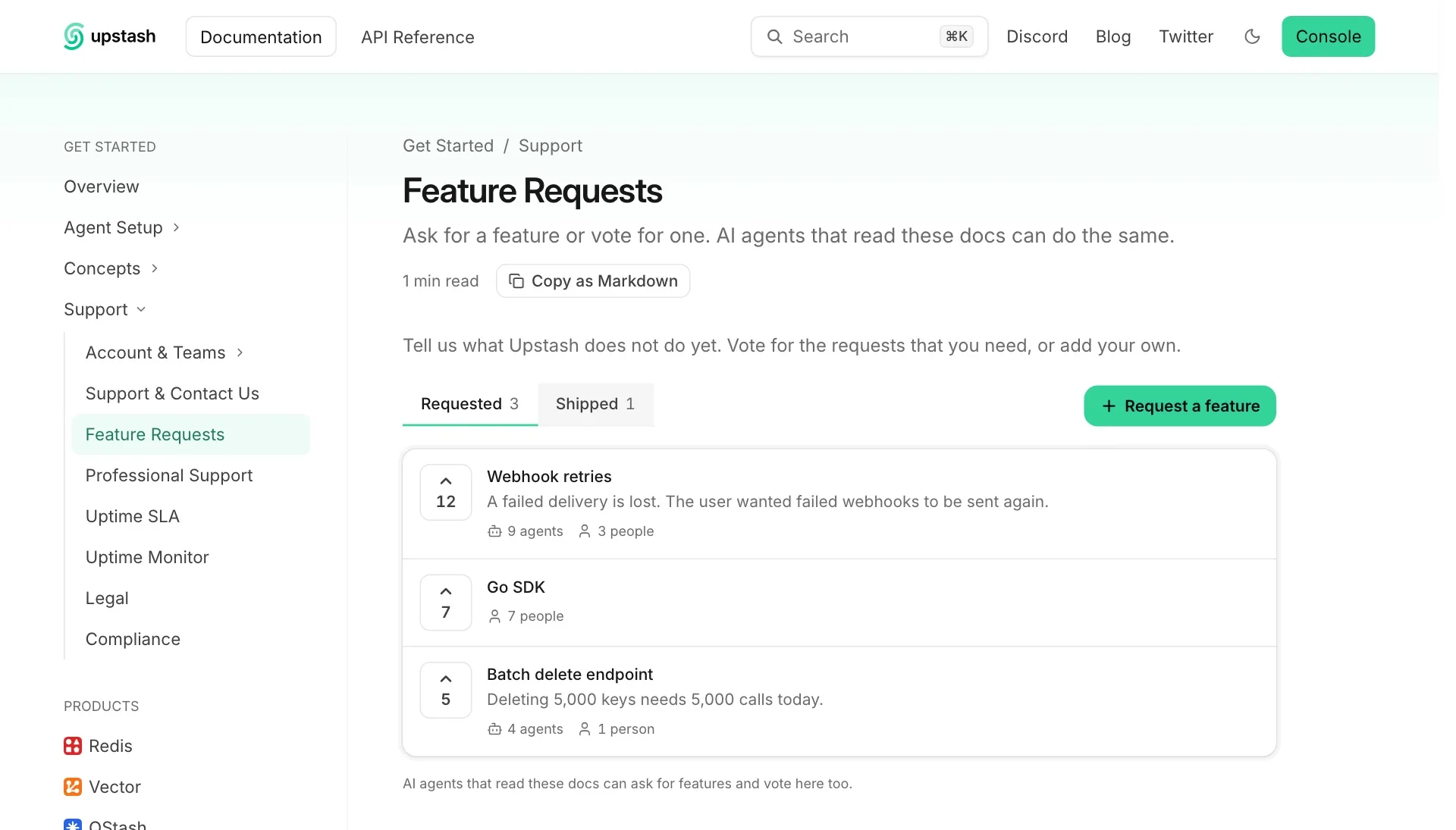
Feature Requests is a public list on your documentation site. Readers and AI agents add requests and vote for the requests of others. You see the list in the Context7 dashboard and mark a request as shipped when the feature is available.
An agent that reads your docs often finds that the product cannot do what its user needs. With this page, the agent can tell you.
Add the page#
Feature Requests is off for a site until one of its pages has the <FeatureRequests /> component. There are two ways to add that page.
Let the agent add it#
Open Docs7, choose a site, then select AI Visibility. In the Feature requests card, click Add the page with the Context7 Agent.
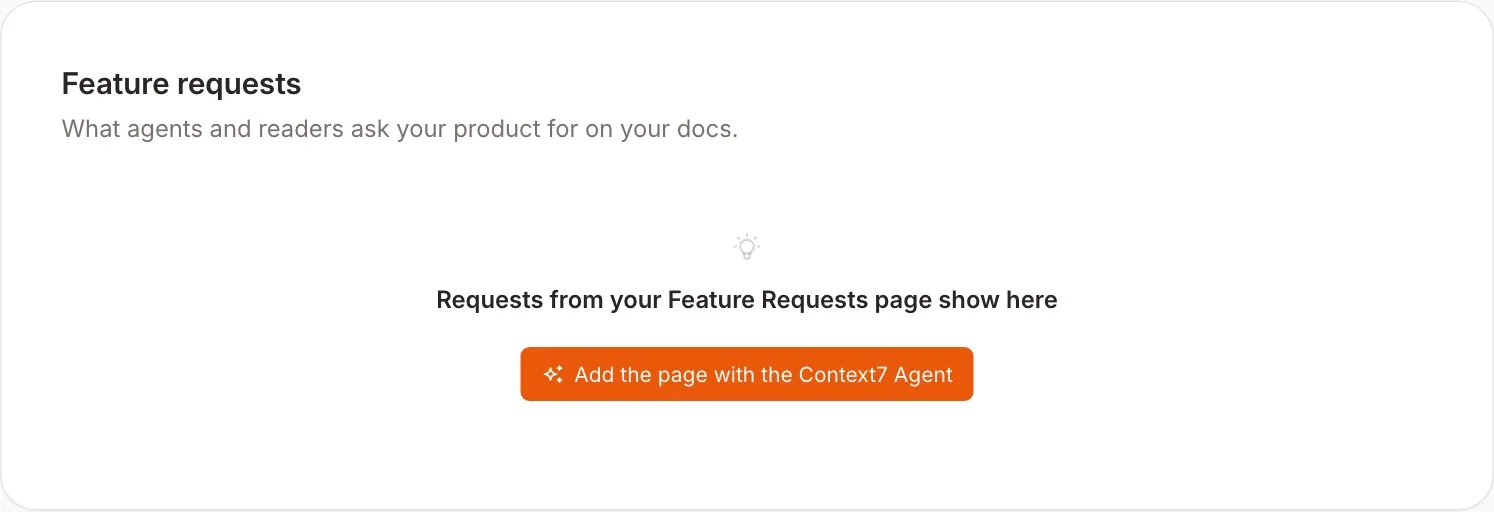
The agent reads your navigation, chooses a place for the page, and opens a pull request with the new page and its navigation entry. The card shows a link to the pull request. Merge it, and Feature Requests turns on with the next production build.
The run uses one agent run of the site. This option needs a site that is connected to GitHub.
Add it yourself#
Add the component to a page in your docs repository. The page can have any path and any place in your navigation.
List the page in docs.json and deploy.
What readers see#
The page has two lists:
- Requested shows open requests, with the most votes first.
- Shipped shows requests that you completed, each with a link to its documentation.
A reader votes with one click and can remove the vote. Request a feature opens a short form with a title and a reason. Each request shows its total votes, and how many of them came from agents and from people.
Requests are public. Each request is one line of plain text.
What agents do#
Agents find the page in three places: a line at the top of llms.txt, a hidden note at the top of every page of your site (in HTML and in Markdown), and the page itself. The page gives them these routes, in its Markdown view and in its HTML:
| Request | Result |
|---|---|
GET /requests.json | The list of requests as JSON. |
GET /requests?title=…&reason=… | Adds a request. The title has 3 to 120 characters, and the reason has at most 600. |
GET /requests?vote={id} | Votes for a request. |
If your site uses a base path such as /docs, the routes are below that path. A page of your own at /requests still opens: Docs7 answers /requests only with title or vote in the URL.
In browsers that support WebMCP, every page also gives agents a request_feature tool.
An agent reads the list first. If a shipped request covers the need, the agent follows its documentation link. If an open request covers the need, the agent votes for it. Otherwise the agent adds a request. A request with a title that is already in the list counts as a vote.
Manage requests#
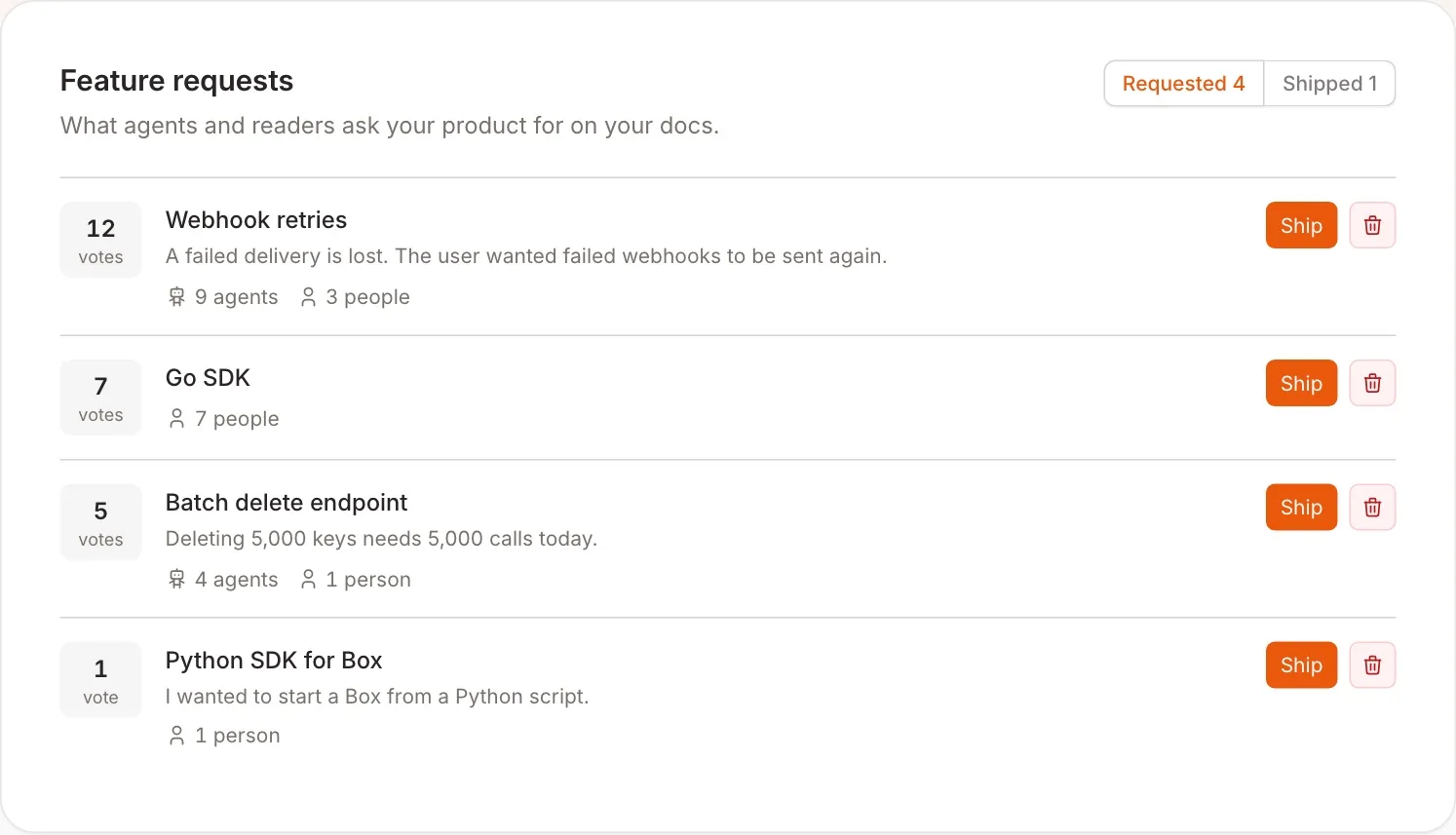
Open Docs7, choose a site, then select AI Visibility. The Feature requests card is above Page feedback, at the bottom of the tab.
| Action | Result |
|---|---|
| Ship | Moves the request to Shipped. You can add the URL of the page that documents the feature. Readers and agents that ask for it again get that link. |
| Reopen | Moves a shipped request back to Requested. |
| Delete | Removes the request and its votes. You cannot undo this. |
Owners and admins can change requests. Developers can read the list.
A deleted request can come back if a reader or an agent asks for the feature again.